Click HERE for the latest update!
January 3rd, 2010
Started
the year off with some animation!
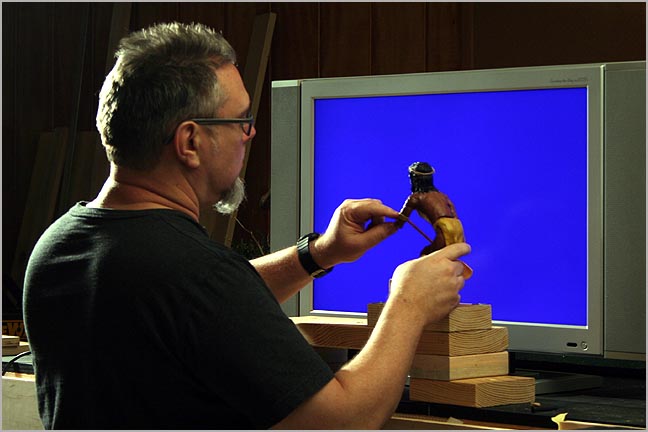
The original
cartoon version had only three natives. But the wider 16:9 aspect ratio
of HD called for the addition of a fourth native in the canoe. Fortunately,
I did not have to animate the native four times. Since I was shooting against
a bluescreen, I could simply reposition the figure during the compositing
stage in post production.
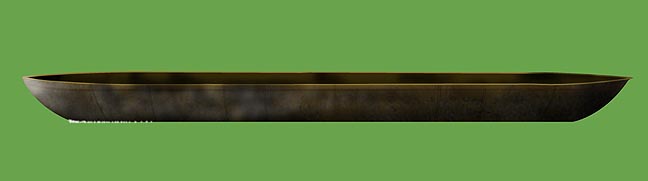
The cartoon
had a sort of funky, square, flat-bottom canoe but I opted for a more traditional
type. The oval ends allowed for easier placement in the frame without having
to worry too much about any mis-matched perspective that a square-ended
canoe would have fostered.
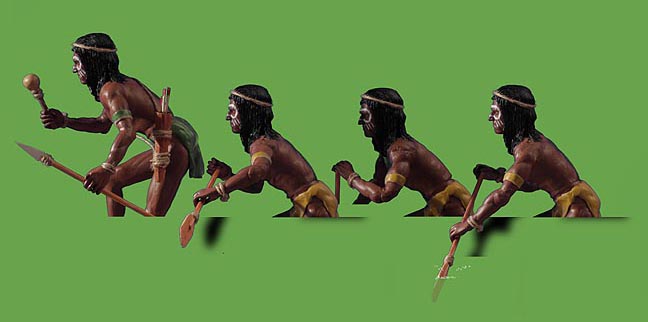
After
shooting the puppet in the standing position, I then gave it a new coat
of paint to change the color of the loin cloth and to touch up the skin
where the paint may have peeled. After compositing, I then added
shadows and water splashes, etc.
(Note:
The green background here is just for illustration. The puppets were shot
on bluescreen.)
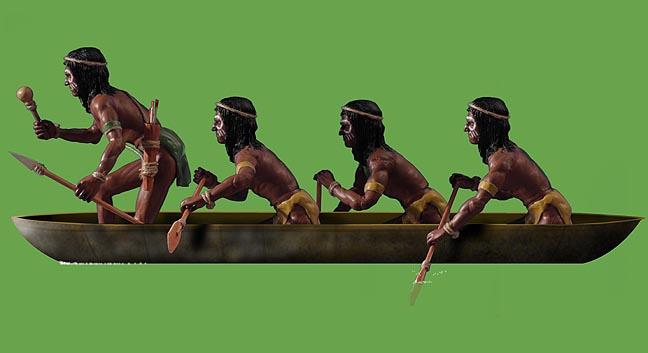
Here the natives have been composited in the canoe and are ready for a ride down the river!
Click
HERE
to see the final shot!
(About
4 megs. Be patient.)
January 8th, 2010
Off to a new scene!
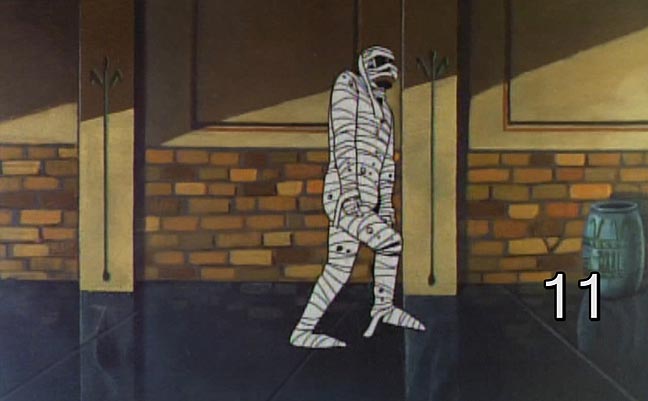
This
is the scene as it appears in cut #11 of the opening titles.
I decide
to make some slight changes to the background. While we went for the same
sort of brickwork, I decided to make the columns wooden beams as it would
tie in better with the surrounding shots when everything was cut together.
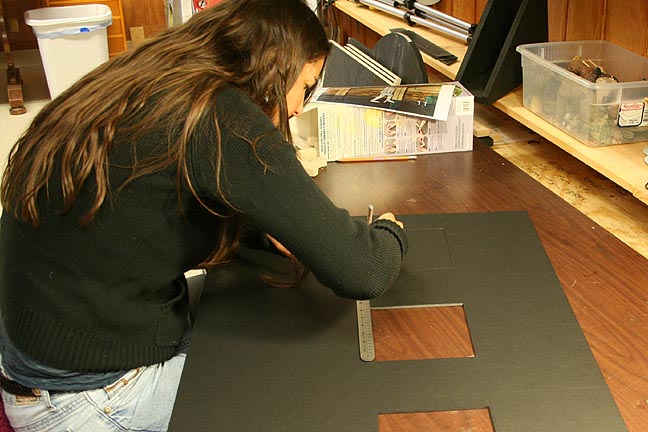
Here
Brandi cuts out the insets in the back wall of the set.
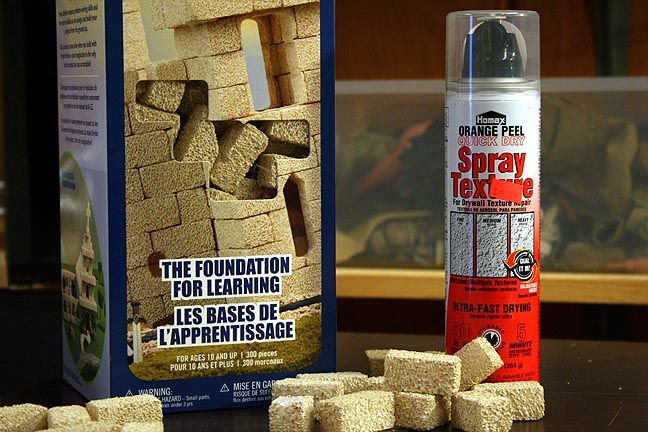
These
syrofoam blocks are super handy for this type of work and Brandi had a
great idea to use some spray texture for the plaster wall.
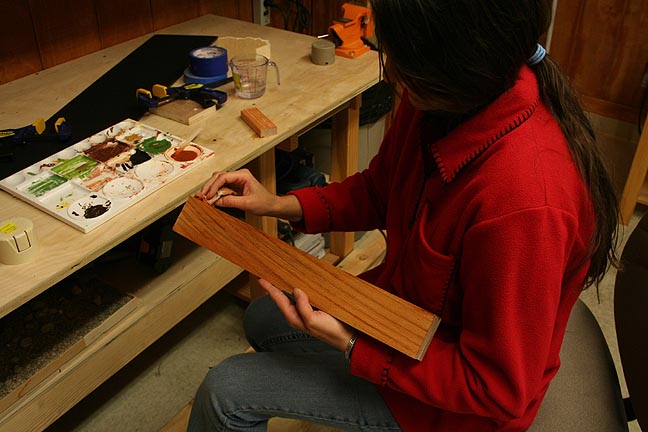
Brandi
adds stain to the vertical columns using a watered down acrylic.
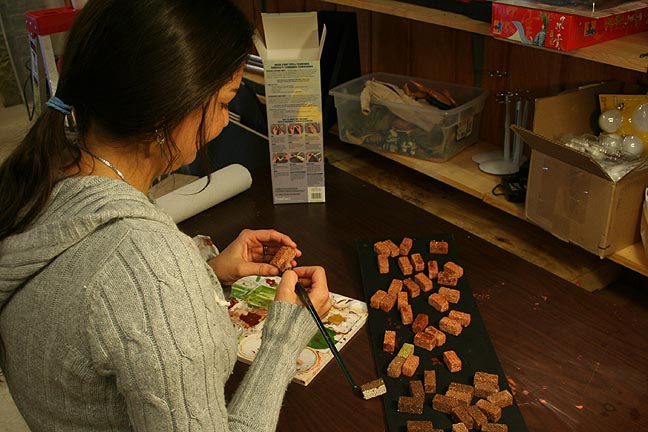
The bricks
are painted a variety of different shades, in keeping with the original
cartoon design.
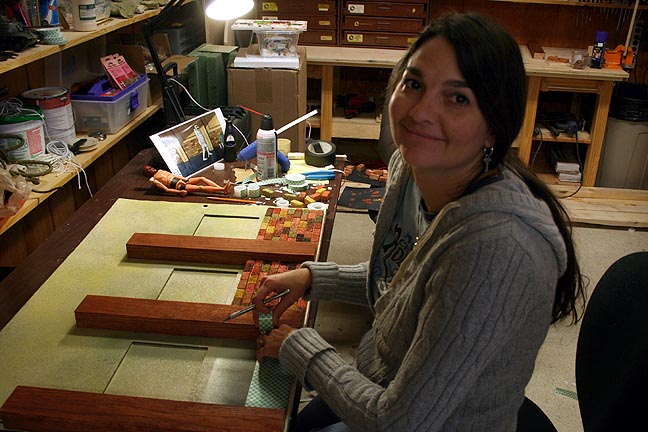
Only 50 more bricks to go!
Brandi
is using double back foam tape to adhere the bricks to the back wall of
the set, which has been painted a moldy green.
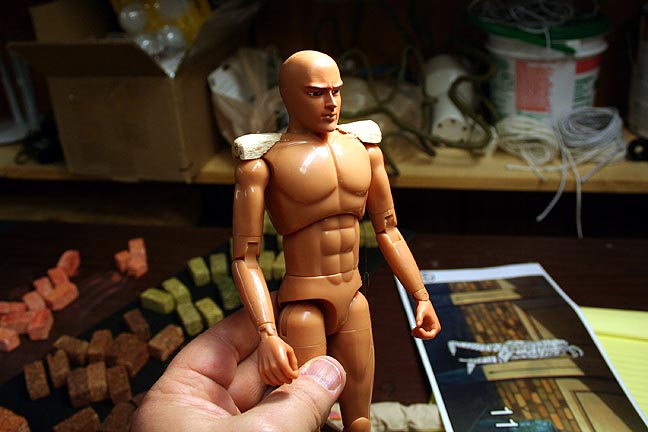
Since
the mummy required nothing special other than articulated limbs, I just
started with a cheap action figure.
In retrospect,
I rather like this figure as it has swivels for the limbs, which are preferred
over ball and socket joints. But the face only a mother could love, I'm
afraid. Fortunately, it will be covered with cloth.
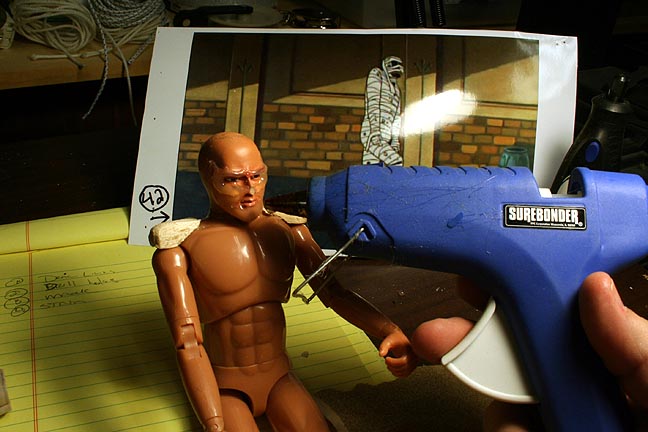
I used
hot melt glue to add to the brow-ridge, cheeks and chin to give a more
skeletal appearance.
Sculpting
with hot melt is kind of tricky but the sloppiness of it worked well for
ancient mummy hide.
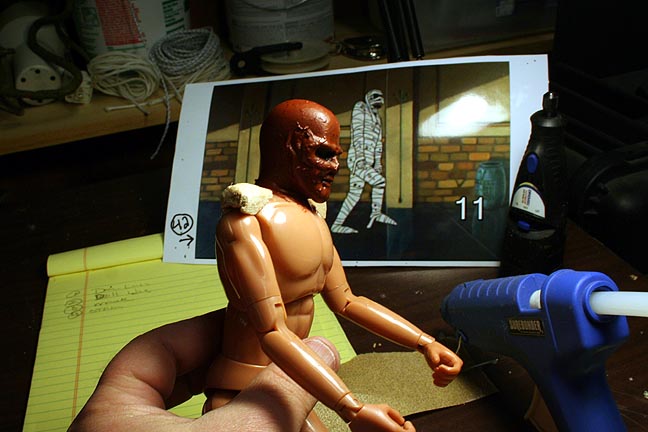
After
a quick paint job, the mummy make up is complete!
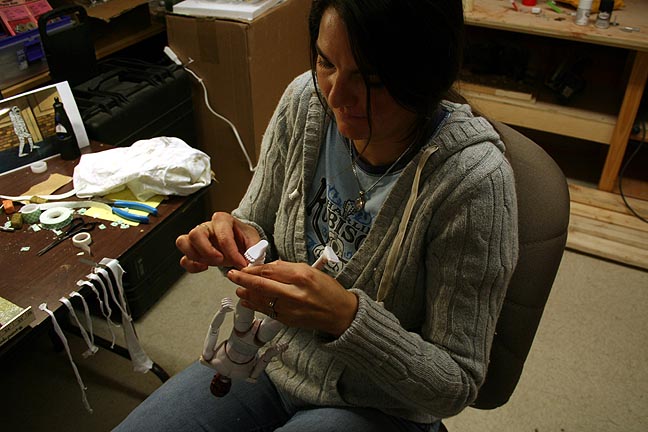
Brandi
begins the tedius task of wrapping the mummy in strips of cloth. I was
going to paint the mummy brown before wrapping but Brandi thought it would
be a better idea to paint it white, in case any of the bandages started
to separate. Good idea.
So here's
the original cartoon version of scene 11.
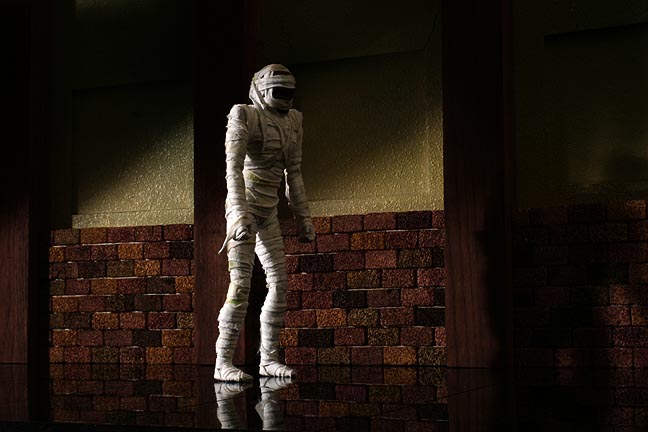
Here's
a quick lighting test. Black, glossy plastic was used for the floor. Still
missing is the large vase to the right.
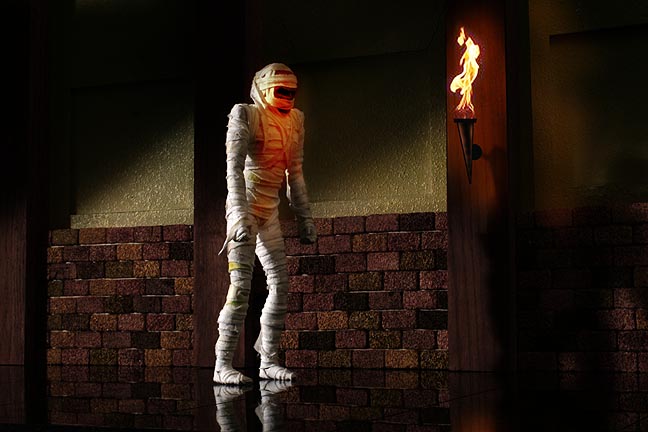
After
shooting the lighting test, I had the idea of adding a torch on one of
the columns. So I used Photoshop to add a fake torch and Googled a picture
of a flame. It's not in the original scene but I think it adds some interesting
interactive lighting. I think I'll do this for the final, so I'll need
to add a torch to the model set and I will have to shoot some live action
flames, as well. The scene is a tracking shot of the mummy so I will have
to match move the flames in post and animate interactive lighting during
animation but I think it will be worth it. On the other hand, the shot
without the torch looks a bit scarier in some ways. Hmmmm......I'll have
to think about it.
January 10th, 2010
How
to make a wall-torch using junk around the house!
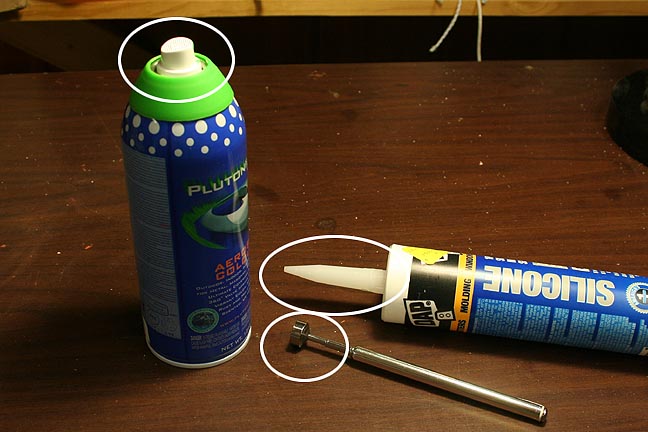
I looked
around and found an empty can of paint, an old magnetic wand and a tube
of caulk.
The
circled areas are the targets of interest! ;)
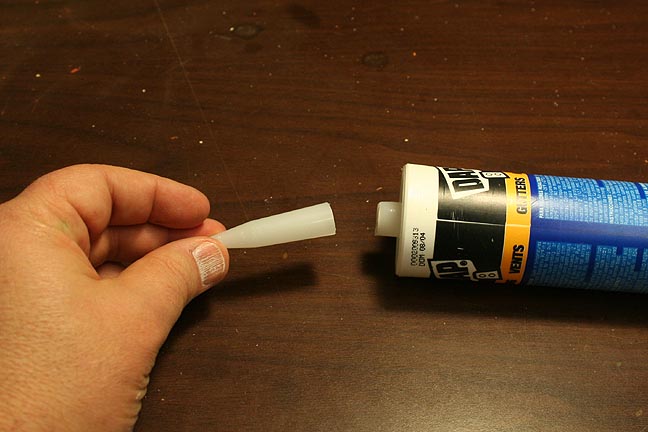
I cut
the tip off the caulk.
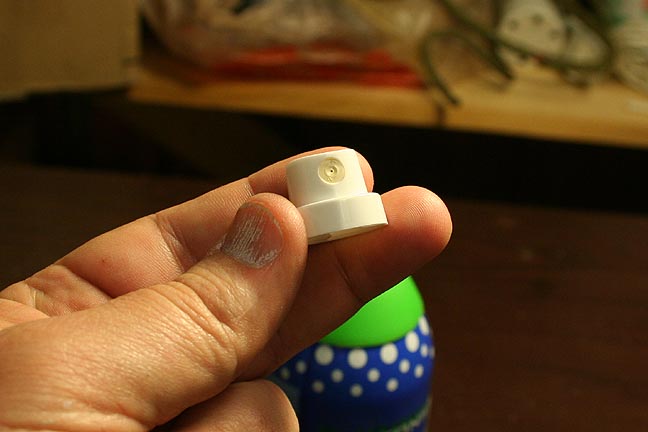
Remove
the spray nozzle from the paint can.
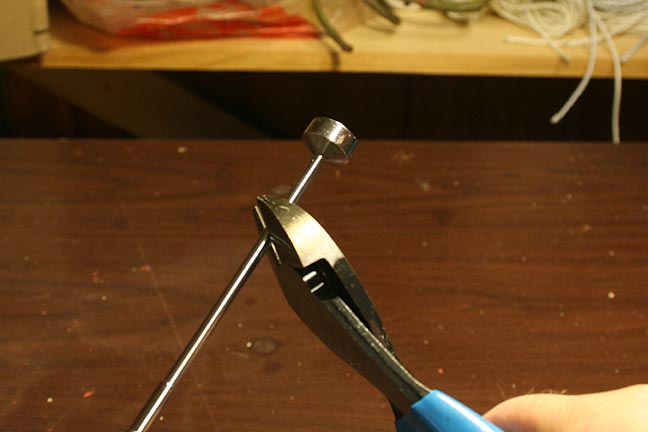
Snip
the end of the magnetic wand.
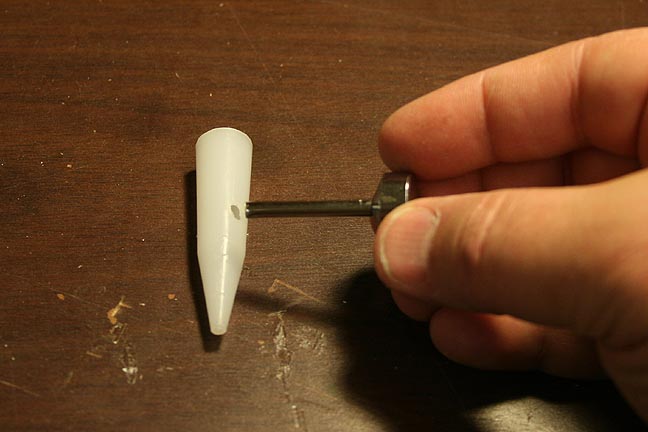
Drill
a small hole at an angle in the tip.
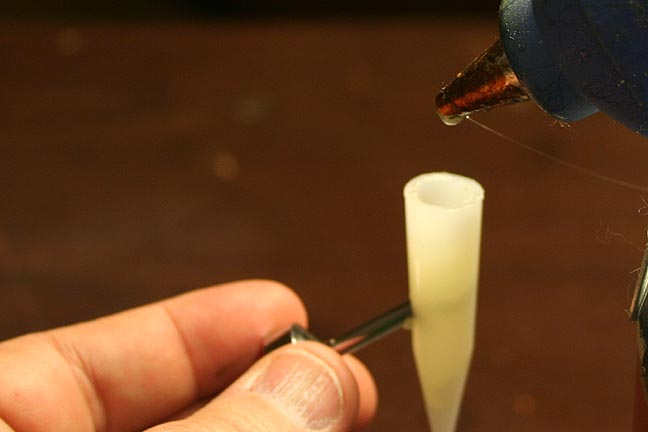
Insert
the metal stem of the wand into the tip and fill with hot melt glue.
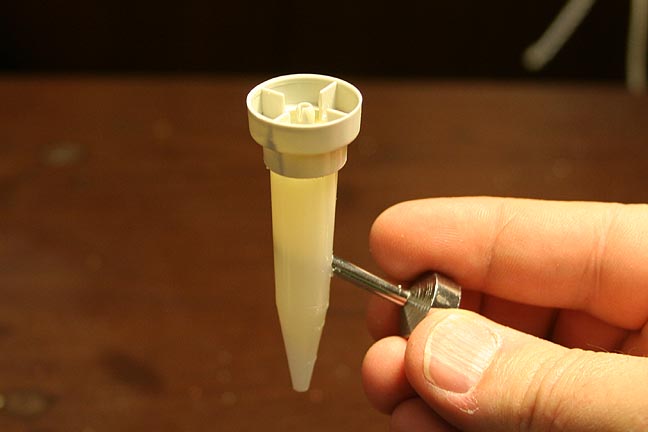
After
it cools, I then hot melt glue the paint nozzle upside down.
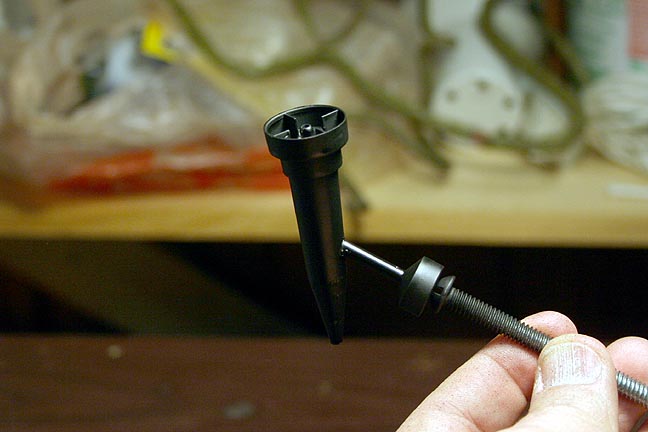
A quick
coat of flat black spray paint hides a multitude of sins.
(The
magnetic base of the wand allows it to stick to a metal bolt during painting!)
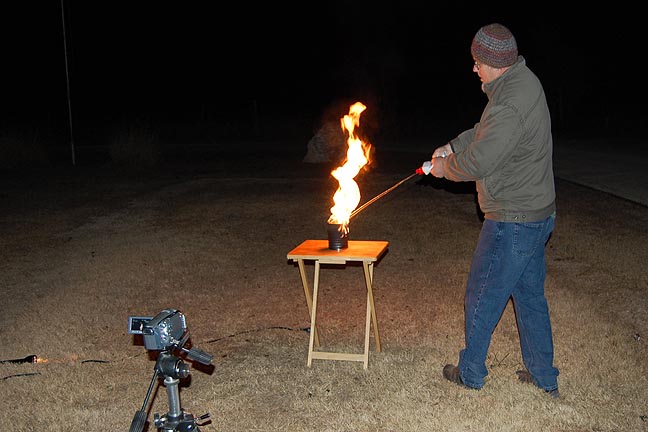
And,
of course, we must have FIRE. More FIRE!
Bwahahahahaha...........
Note
the HD camcorder in the foreground. I painted an emtpy chili can black
and then shot the resulting flames at night in our front yard. I put the
camera on progressive with a high speed shutter to "freeze" the flames
on each frame of video. This will allow me to separate them for compositing
with the miniature set after animation is complete.
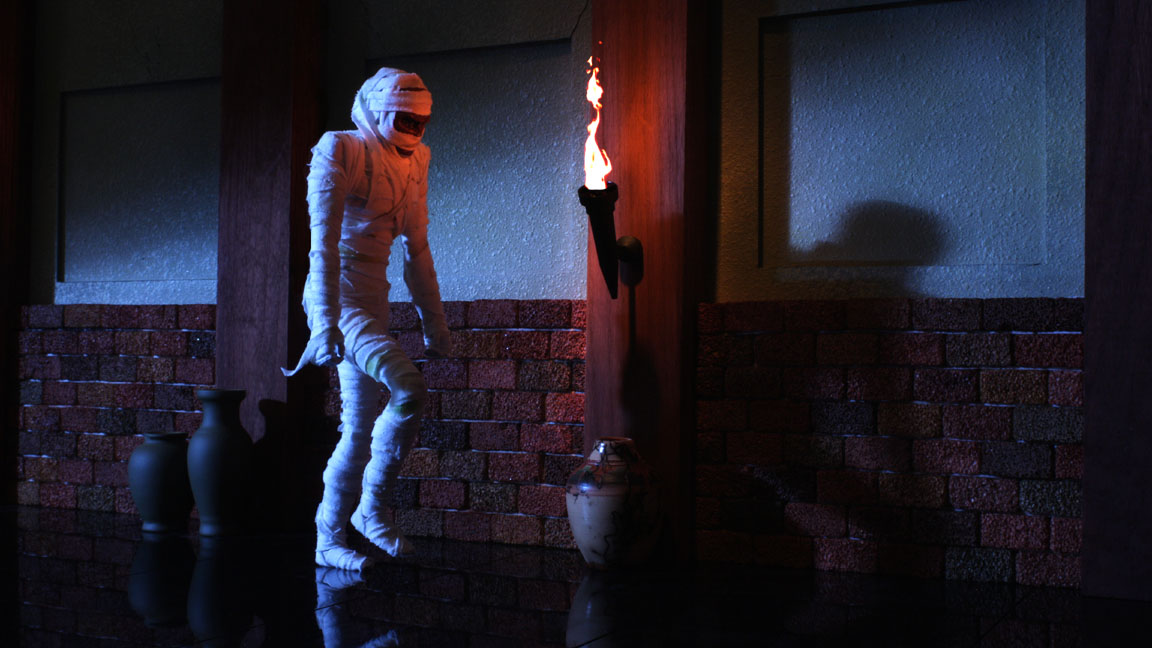
And here's
what the torch and flames look like together!
This
is the final lighting test. I added a blue gel to the rim light to contrast
with the warmer flame. I also simplifed the shadow across the back wall
and lowered the backlight to make the shadows longer and more "mummy-ish"
in nature.
(Click
on the picture to see a larger version.)
The next
update will be of the finished animation for this scene!
January 12th, 2010
Got set up for the animation of the mummy! The cut is only about 44 frames long but the set up is pretty extensive.
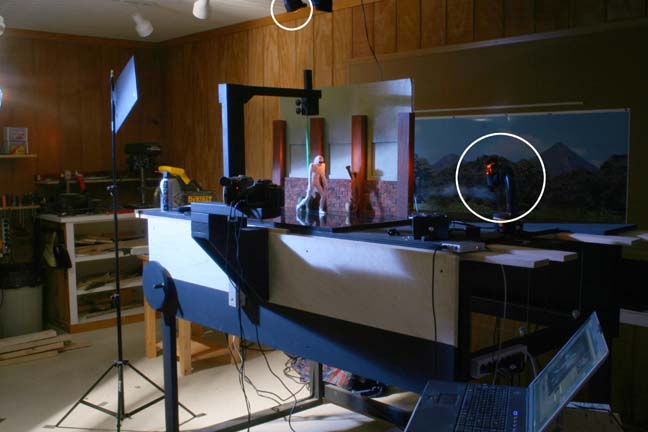
This
is the set up for the shot. Though it is hard to see, the circled items
on the ceiling and on the table are flashlights with orange gel on them.
These lights are moved around randomly from one frame to the next to simulate
the reflection of fire light on the wall and mummy. In the foreground you
can see my laptop with an animation program that I use to keep track of
the moves of the mummy as I animate. On the front edge of the table, you
can see both a digital still camera as well as a regular video camera.
The light levels that I shoot at are too low to use the live-view from
the digital still camera for reference. So I use a small video camera next
to the still camera for a reference video. Both cameras are mounted on
the same mechanism as the mummy support. This way, the cameras move along
with the mummy.
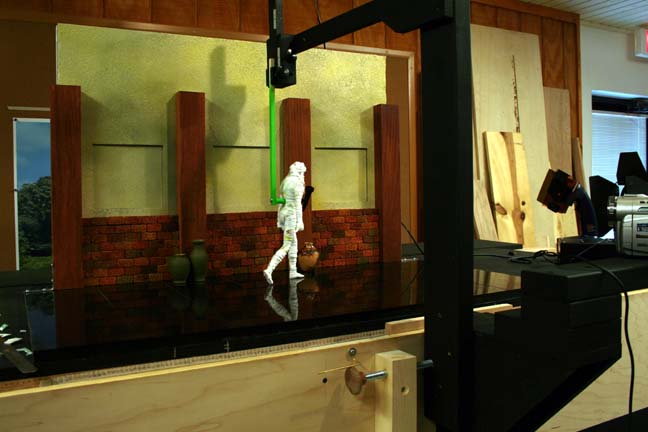
Another
angle on the same set up. Note the overhead support with the neon green
mummy-holder. This entire assembly slides along the front of the table
smoothly, frame by frame. A threaded shaft near the bottom of the photo
allows me to move the mummy forward in tiny increments.
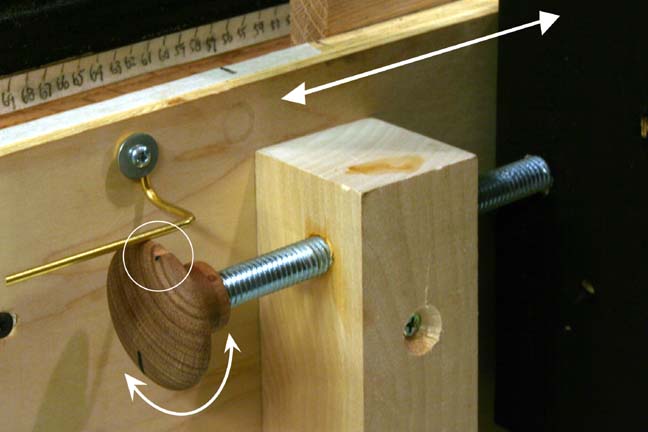
Because
the camera needs to make a repeat pass and must line up in exactly the
same spot for each frame, I put a notch in the knob that a springy metal
rod "clicks" into for each turn (see circled area). This ensures that my
camera ends up in the same exact location on the second pass as the first
for every frame.
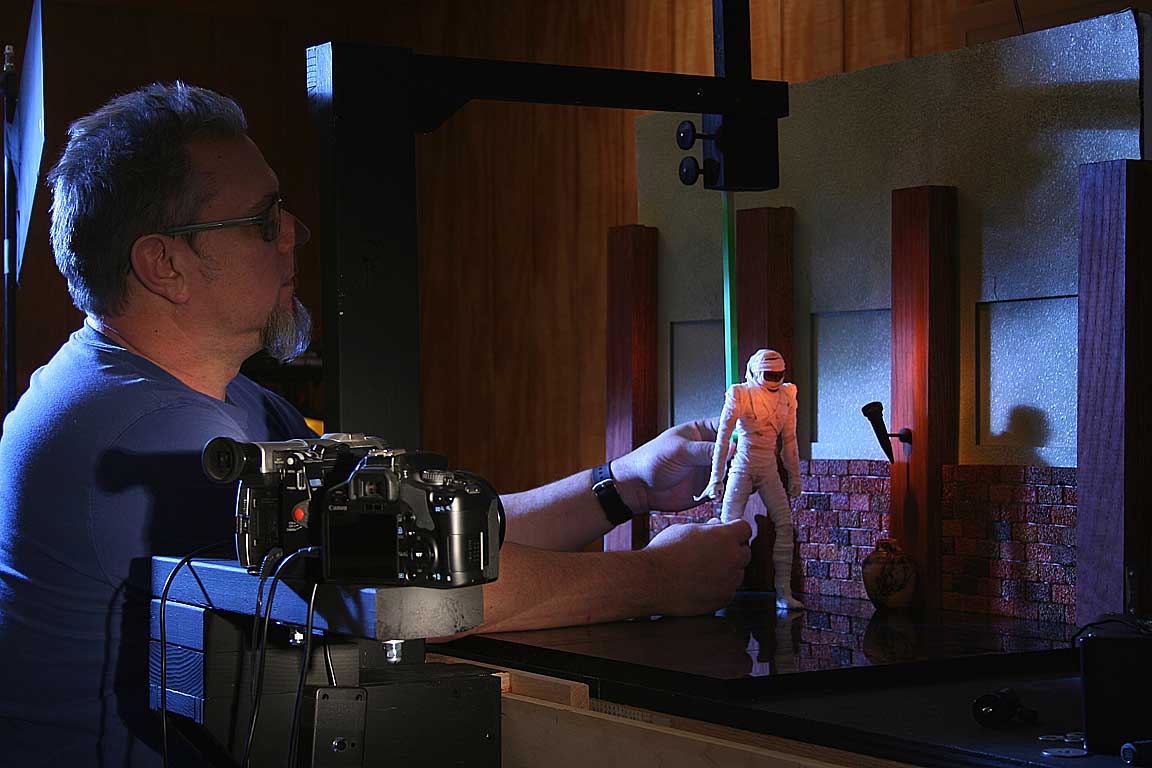
Your's
truly putting the mummy through his paces..
(click
on the photo for a larger view)
Here's how the process works:
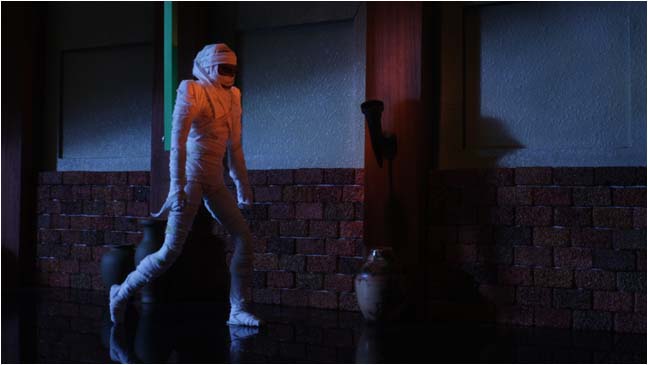
This
is what's recorded on the first pass. No attempt is made to hide the green
mummy support rod.
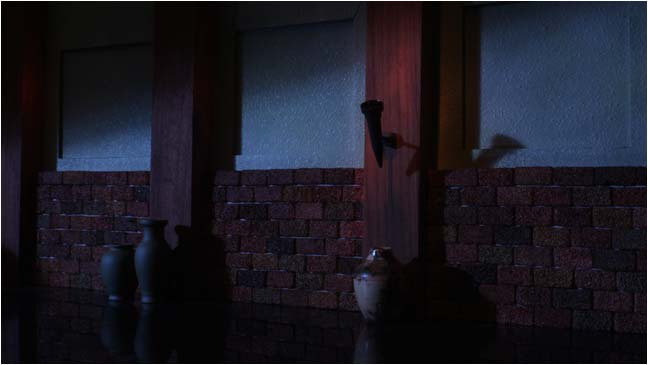
After animation of the mummy is complete, the camera/mummy support is moved back to the beginning. The mummy is removed from the set and a second set of stills are made of just the background as it moves past the camera, frame by frame.
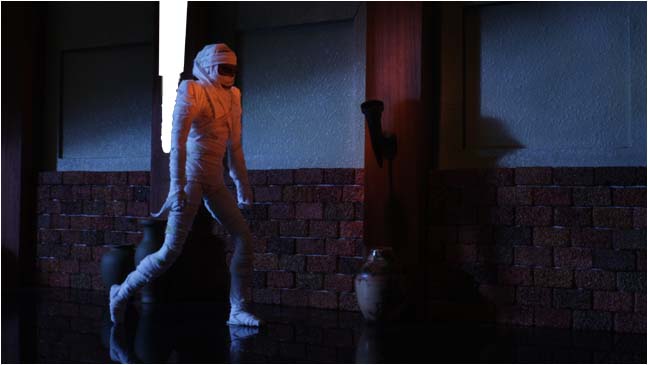
In Photoshop, the green support will automatically "cut" itself out of the frame, though some extra clean up is always needed. When these two images are ovelapped in Photoshop, the missing area is "filled in" by the background captured on the second pass.
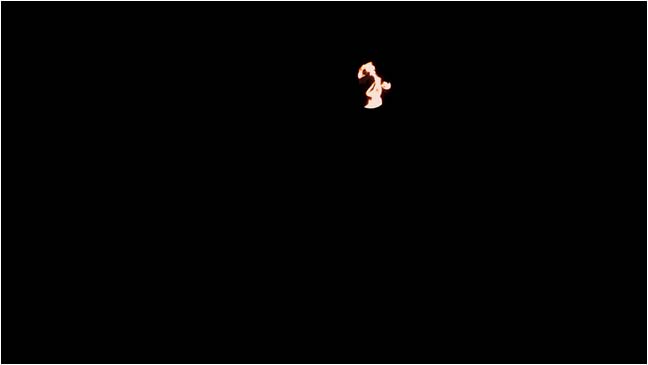
And then,
finally, each frame has a flame pasted into the correct position to align
with the constantly moving torch on the wall.
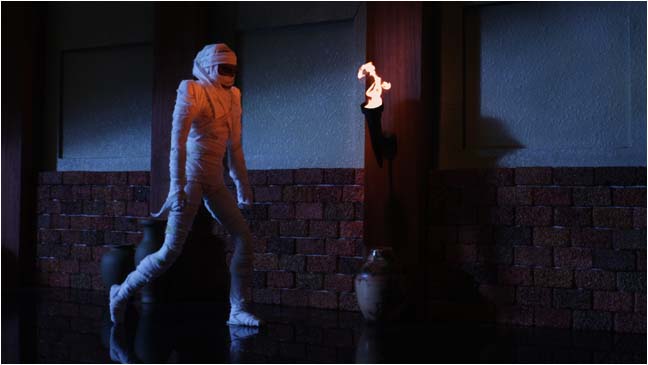
Together, these three layers make up the final image for each frame!
Okay, click HERE to see the final shot of the walking mummy!
LATEST UPDATE: January 17th, 2010
Next
up is the scene where the mummy breaks out of a locked building.
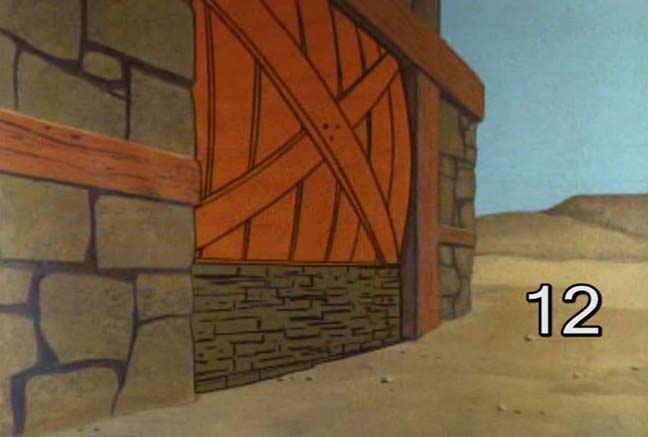
This
is what cut #12 looks like in the actual cartoon title opening. It takes
place in daylight but I decided to make it a night time shot to add more
atmosphere. I also decided to just make it a large, wooden door that was
chained shut rather than being boarded up.
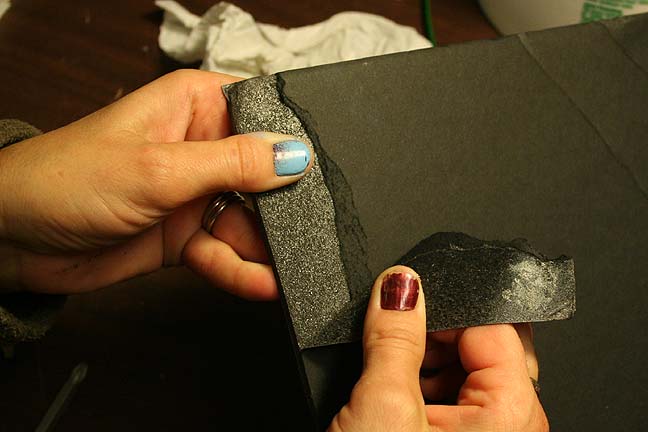
To make
the rock wall, Brandi first peels off the top cardboard layer of some black,
1/4 inch foam core board. This reveals a nice, rough styrofoam surface
underneath that is easily manipulated to create grooves and rough textures.
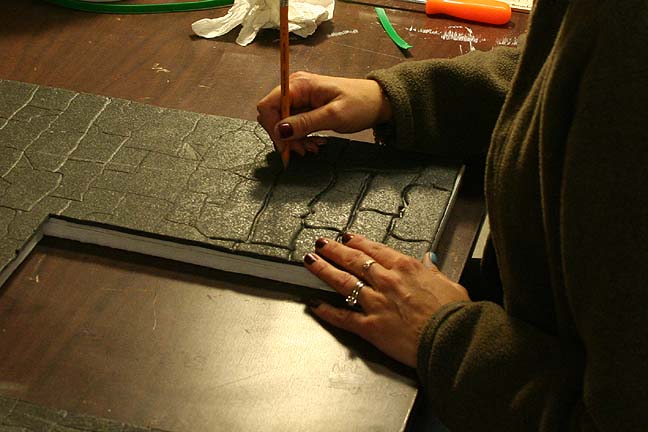
Here
Brandi uses a pencil with the lead point removed to score the cracks between
the "rocks".
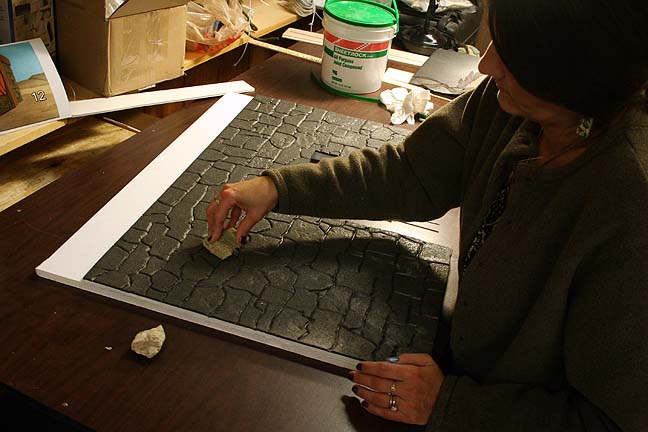
After
delineating the grooves, real rocks are pounded on the surface of the foam
randomly to texture it.
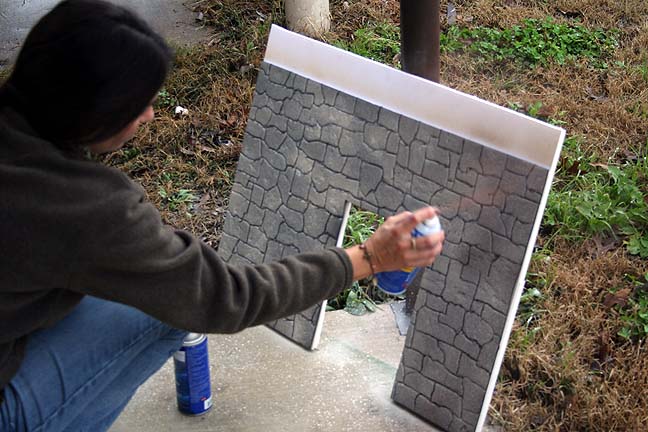
A quick
coat of paint to lighten up the black surface.
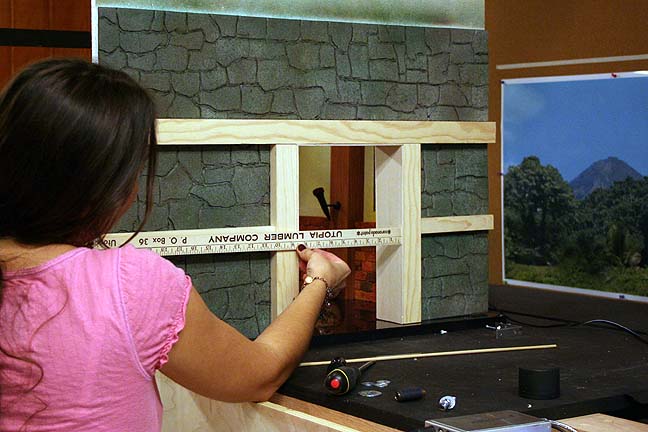
Next
up is to make the doors! Brandi measures the opening for a good fit. Note
the previous interior set visible through the doorway.
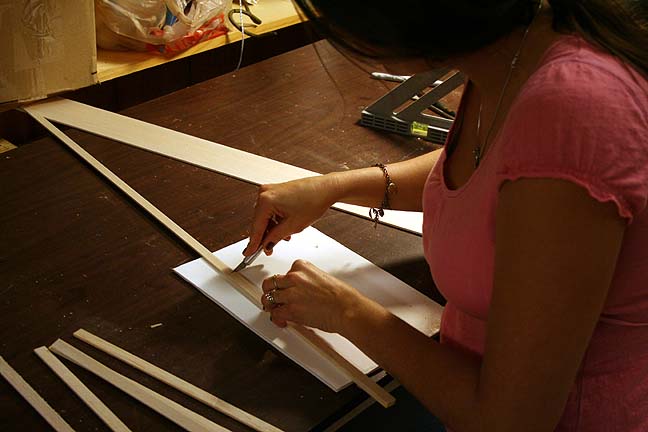
Balsa
wood is quickly cut to the appropriate length and hot-melt glued together.
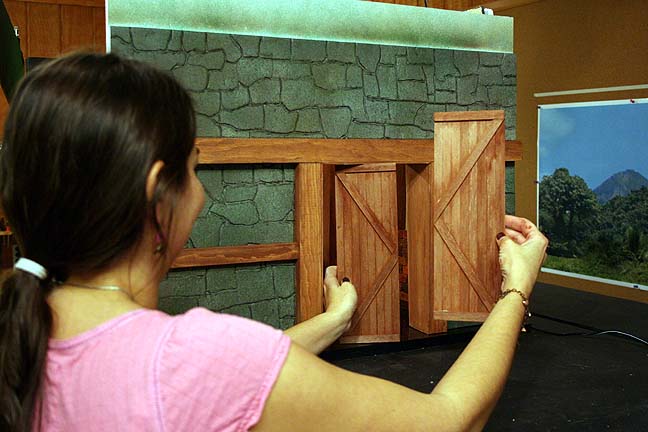
They
fit! Actually, the doors will be shot separately to make animation of the
puppet easier.
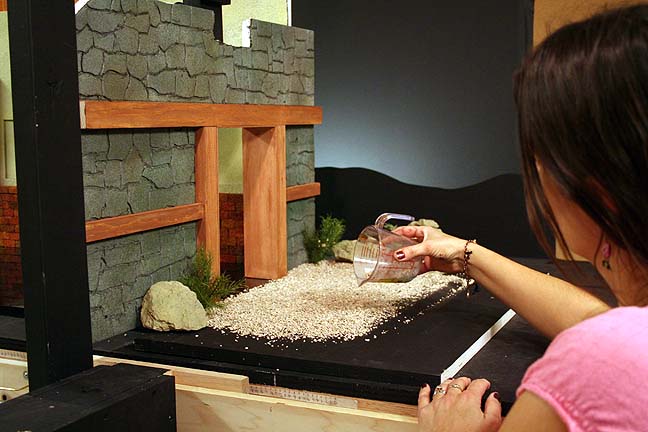
A bit
of kitty litter is added to simulate a rocky terrain.
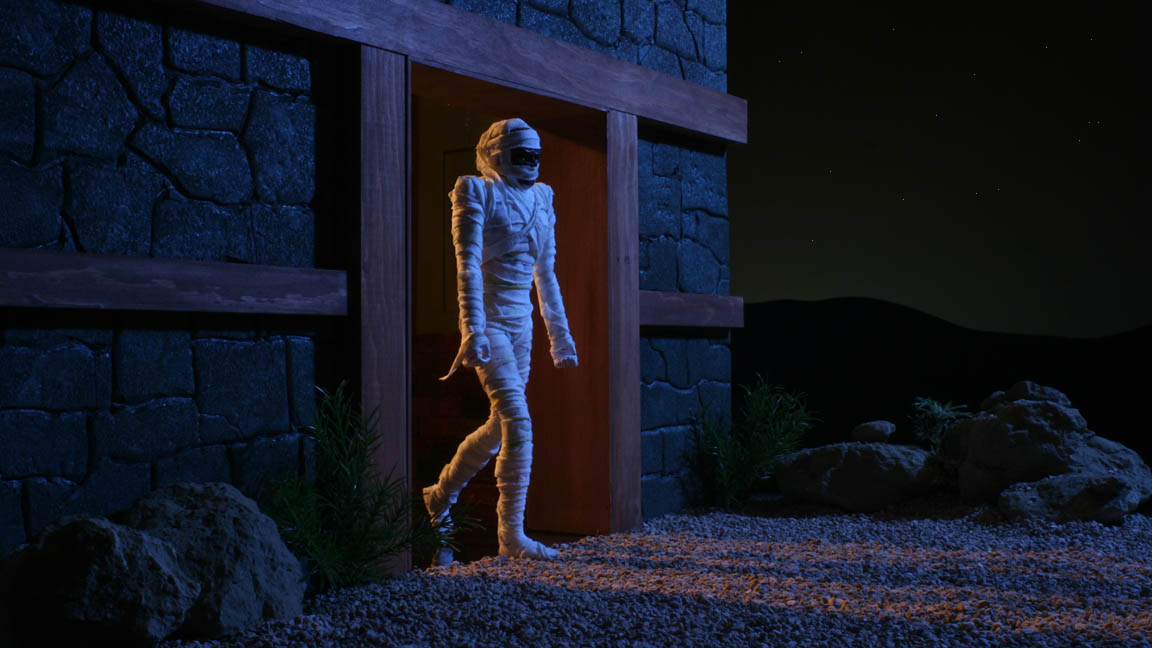
A quick
lighting test of the final set. I will probably increase the backlight
a bit and add some blue to the foreground lights. But this is pretty much
what the final should be like. Click on the photo for a larger view!
Okay!
Click HERE to see the final animated clip!
Thanks
for looking!
That's
all for now!
All information, videos, photos and graphics in
this website are copyright 2009, Roger Evans. All rights reserved.
For those that enjoy the creak of leather, click
HERE
for my gallery of western art paintings